| Over the last several weeks, the NJCCIC has observed an increase in compromised New Jersey public sector accounts. These accounts are often compromised after a user submits their account credentials to a fraudulent webpage navigated to via a phishing email. These phishing emails are typically sent from accounts known to the recipient and therefore appear legitimate and trustworthy; however, the trusted sender’s account has been compromised, unbeknownst to the recipient. Recently observed tactics include the use of encrypted emails and attachments, and calendar invites to deliver malicious links and attachments. Threat actors’ use of personalized subject lines and file names lends authenticity to the messages, making recipients more likely to engage with them. |
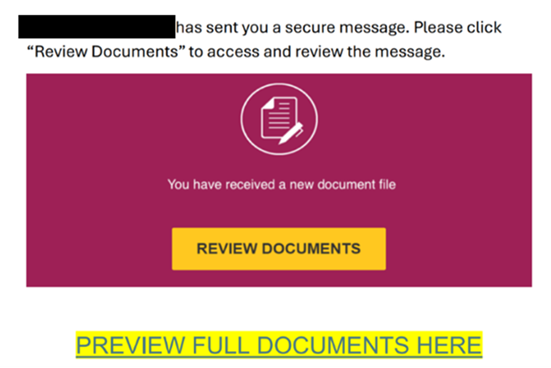
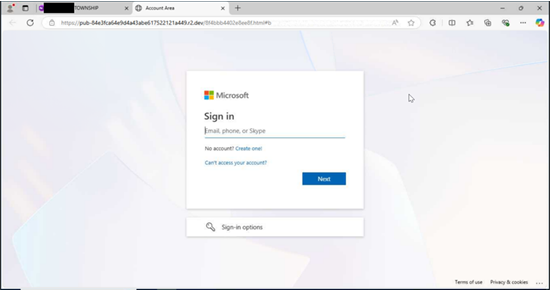
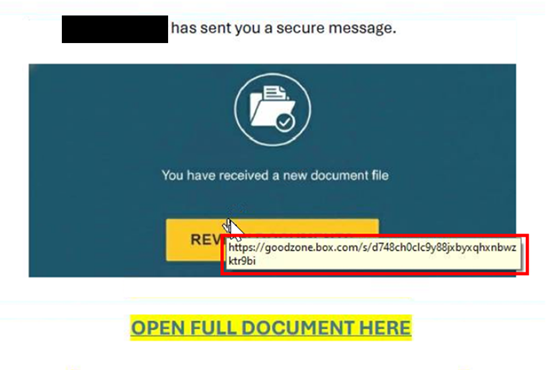
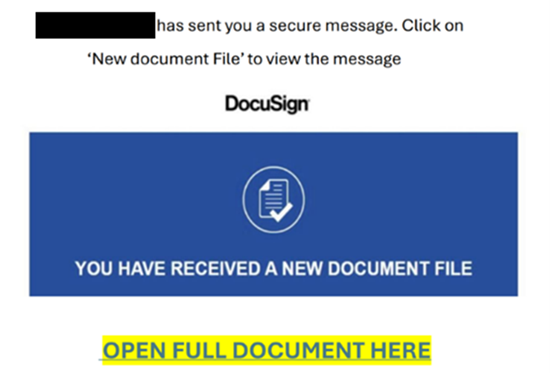
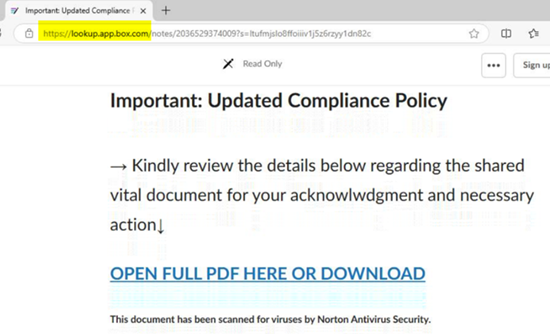
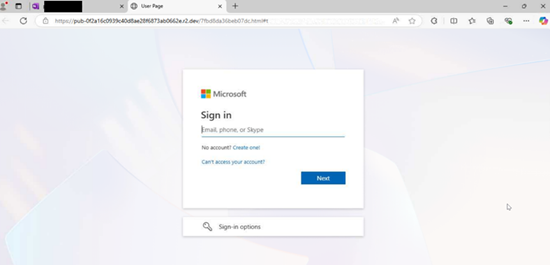
| These phishing emails often use similar lures, in which the communications reference a document, message, report, or file that needs to be viewed. Specifically, the NJCCIC has noted an increase in Docusign phishing. Once the user clicks the included link in the email or attachment, they are often directed to a website that requests account credentials to view the document. If account credentials are entered, they are stolen by the threat actors. There have also been increasing efforts to obtain multi-factor authentication codes in these phishing schemes. The threat URLs included in recent campaigns often reference the compromised account’s organization, Microsoft products such as SharePoint, or document creator or form builder resources including Docusign or Jotform. |
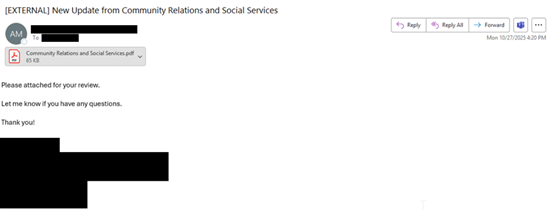
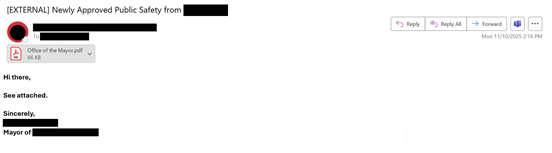
| Many of these phishing emails originate from familiar, yet compromised, accounts associated with county and local government entities, such as health departments, social services, school districts, mayors’ offices, and public safety offices. As a result, recipients are likely to trust these communications. However, these phishing emails are often sent without context, with minimal content in the email body, and may come from accounts with which the recipient does not typically share documents. Document signing platforms are also frequently impersonated in these schemes. If you do not normally electronically sign documents received from the sender, this could indicate that the message is suspicious. |
| Examples from these phishing messages are included below. |
| Recommendations |
| Avoid opening attachments or clicking links delivered in emails and meeting invites, even those from known contacts, unless they are expected and in line with an established relationship. Verify communications with the sender via a separate means of communication before taking any action on their requests. Type official website URLs into browsers manually and only submit sensitive information on official websites. Notify users of this and similar tactics to increase awareness and reduce the risk of account compromises. Review the Don’t Take the Bait! Phishing and Other Social Engineering Attacks NJCCIC product for more information on common phishing and social engineering attacks. |
| Reporting The NJCCIC encourages recipients who discover signs of malicious cyber activity to contact the NJCCIC via the cyber incident report form at www.cyber.nj.gov/report. |